
#003 – Getting It to Move, Finally
From FBX to Unreal Engine 5: Physics Assets, Chaos Vehicles and a surprising amount of troubleshooting just to get four wheels on the ground.
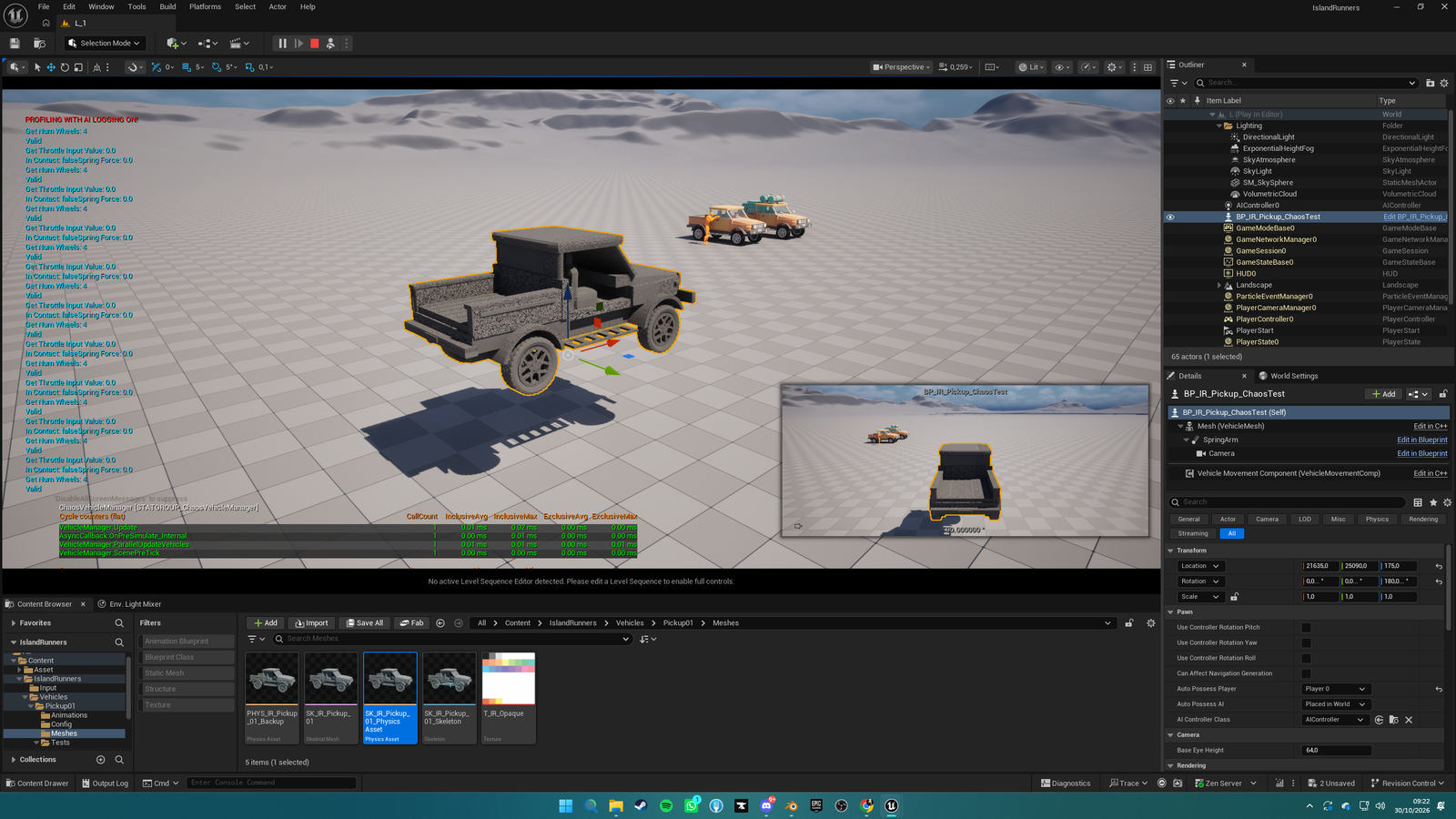
Out of Blender. Into trouble.
In the previous article, I covered my first attempts at rigging the pickup in Blender.
I finally had a complete model, a skeleton and all its components organized. It was time to move everything into Unreal Engine 5 and turn my asset into a working vehicle.
How hard could it be?
Well, pretty hard, actually.
I exported the pickup as an FBX file and imported it as a Skeletal Mesh, preserving the bone structure I’d prepared in Blender.
The first problem appeared almost immediately: orientation.
Between different coordinate systems and export settings, I ended up having to correct a 90-degree rotation to get the vehicle properly aligned.
A seemingly minor detail, but an essential one when movement directions, wheel axes and the skeleton all need to work together.
And that was just the beginning.
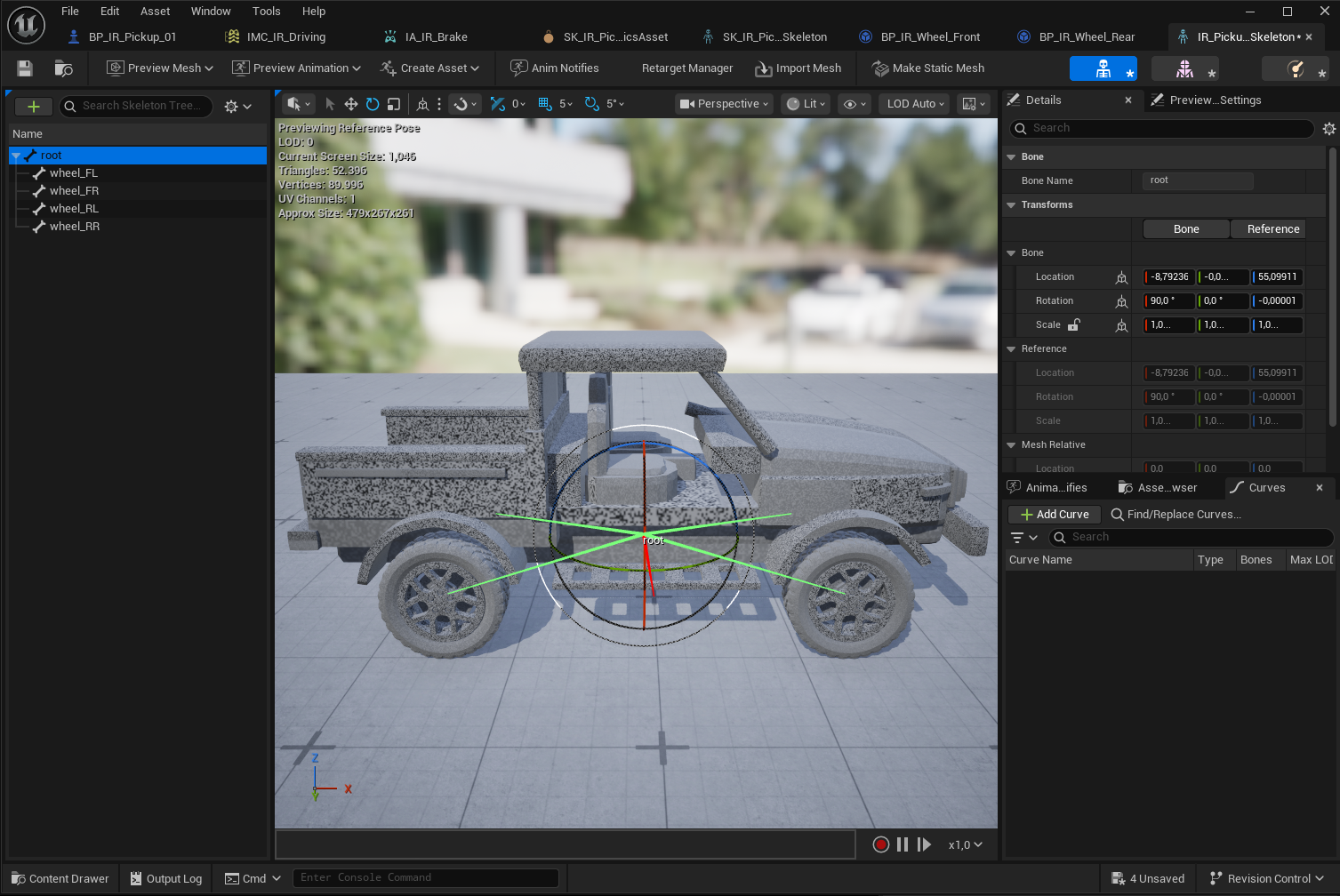
The Physics Asset situation
To handle the vehicle’s movement, I chose Chaos Vehicles, Unreal Engine’s vehicle physics simulation system.
Before I could drive anything, though, I needed to configure the Physics Asset properly.
A Physics Asset defines the physics bodies and collision shapes associated with a skeleton. For a vehicle, it’s particularly important that the body and wheels are set up consistently with the actual geometry.
I worked on the pickup’s collisions, adapting them to the model and trying to avoid interference between different components.
One of the main difficulties was the body collider, which initially interfered with the wheel area and needed to be repositioned and resized.
I also discovered that having a seemingly correct Physics Asset wasn’t enough: I had to make sure the right one was actually assigned to the Skeletal Mesh used by the vehicle.
This stage taught me how important it is to check not only individual assets, but also the connections between them.
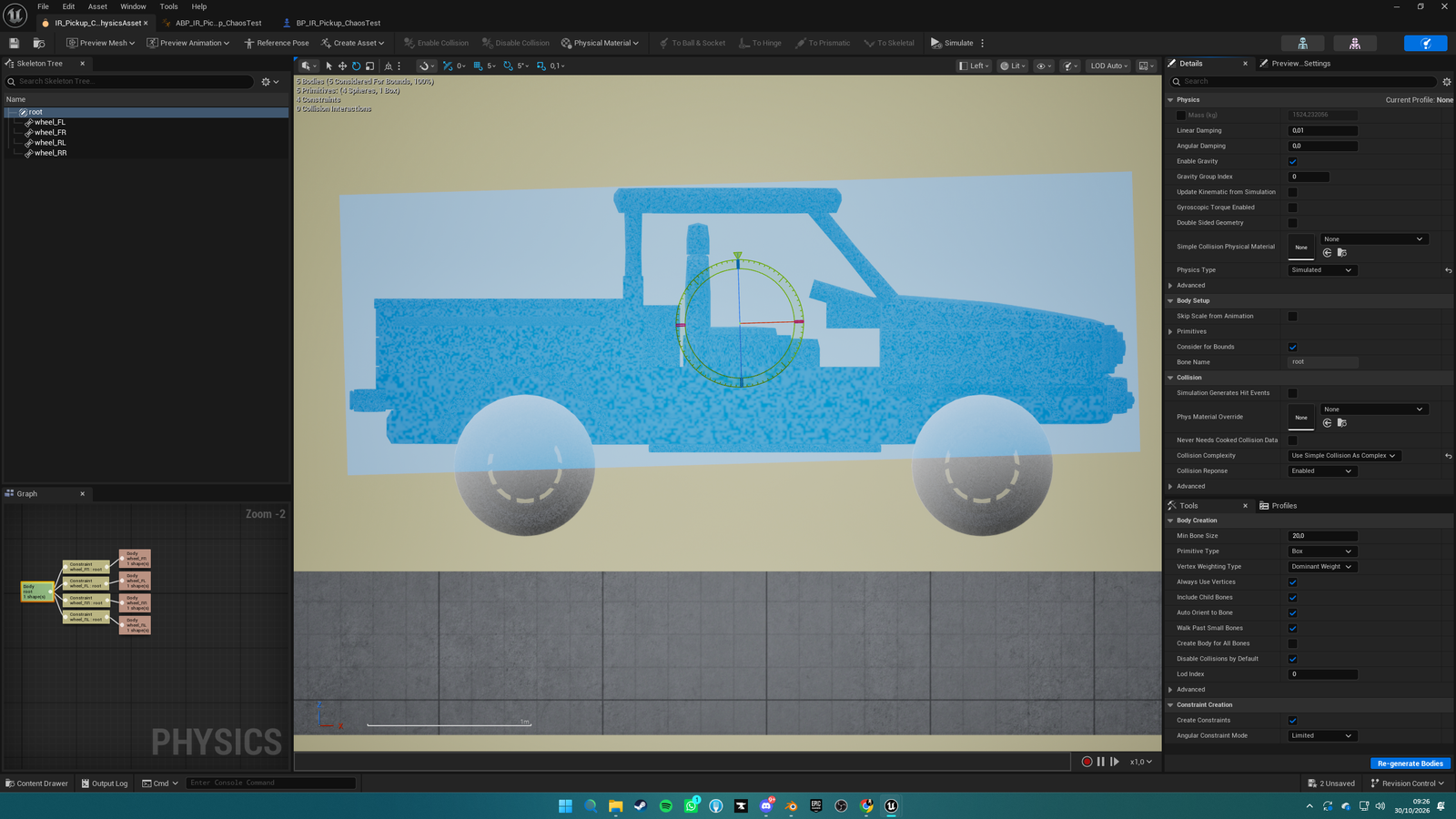
In Contact: false.
Once the physics setup was in place, I moved on to configuring the pickup Blueprint, BP_IR_Pickup_01.
Using the Chaos Vehicle Movement component, I started defining the four wheels, their positions, steering, suspension and movement parameters.
I also checked the model’s physical dimensions, including the wheel diameter, which is approximately 86 centimeters.
The problem was that, despite what looked like a reasonable setup, the vehicle kept behaving completely wrong.
The suspension wasn’t responding as expected. The wheels didn’t seem to recognize the ground properly. During some tests, the pickup even managed to launch itself into the air.
The most memorable moment was seeing this in the debug output:
In Contact: false.
The vehicle was visually sitting on the ground, but the simulation wasn’t detecting wheel contact the way I expected.
So I started checking everything systematically: Wheel Setups, collision shapes, the Physics Asset, transforms and suspension parameters.
I also used Chaos debug commands to inspect what was happening during simulation.
There wasn’t one magical setting that fixed everything. It was more of a series of adjustments, where fixing one issue finally allowed me to identify the next.
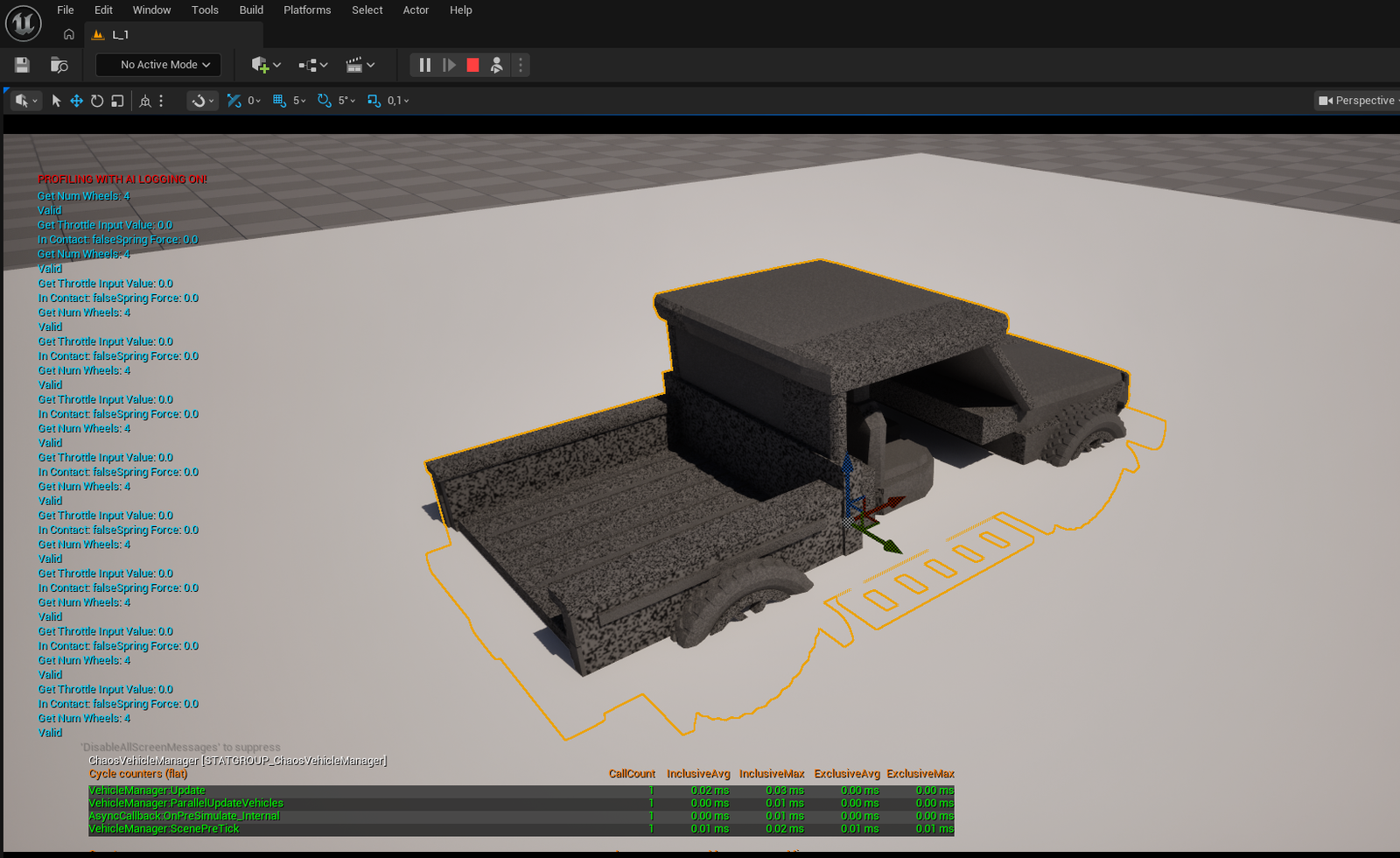
Four wheels. One small victory.
After plenty of attempts, the pickup finally started behaving like an actual vehicle.
The wheels recognized the ground, the suspension reacted and I could start testing acceleration and steering.
Of course, things still weren’t perfect.
A collision configuration was interfering with the steering, which initially only worked in one direction.
But once I’d identified and corrected that issue too, I could finally drive the pickup around the test level.
I didn’t have an island, missions or a proper gameplay loop yet.
What I did have was something that, until then, had only existed as a model in Blender: a vehicle I could actually control inside a game engine.
And after all those attempts, seeing it move was incredibly satisfying.
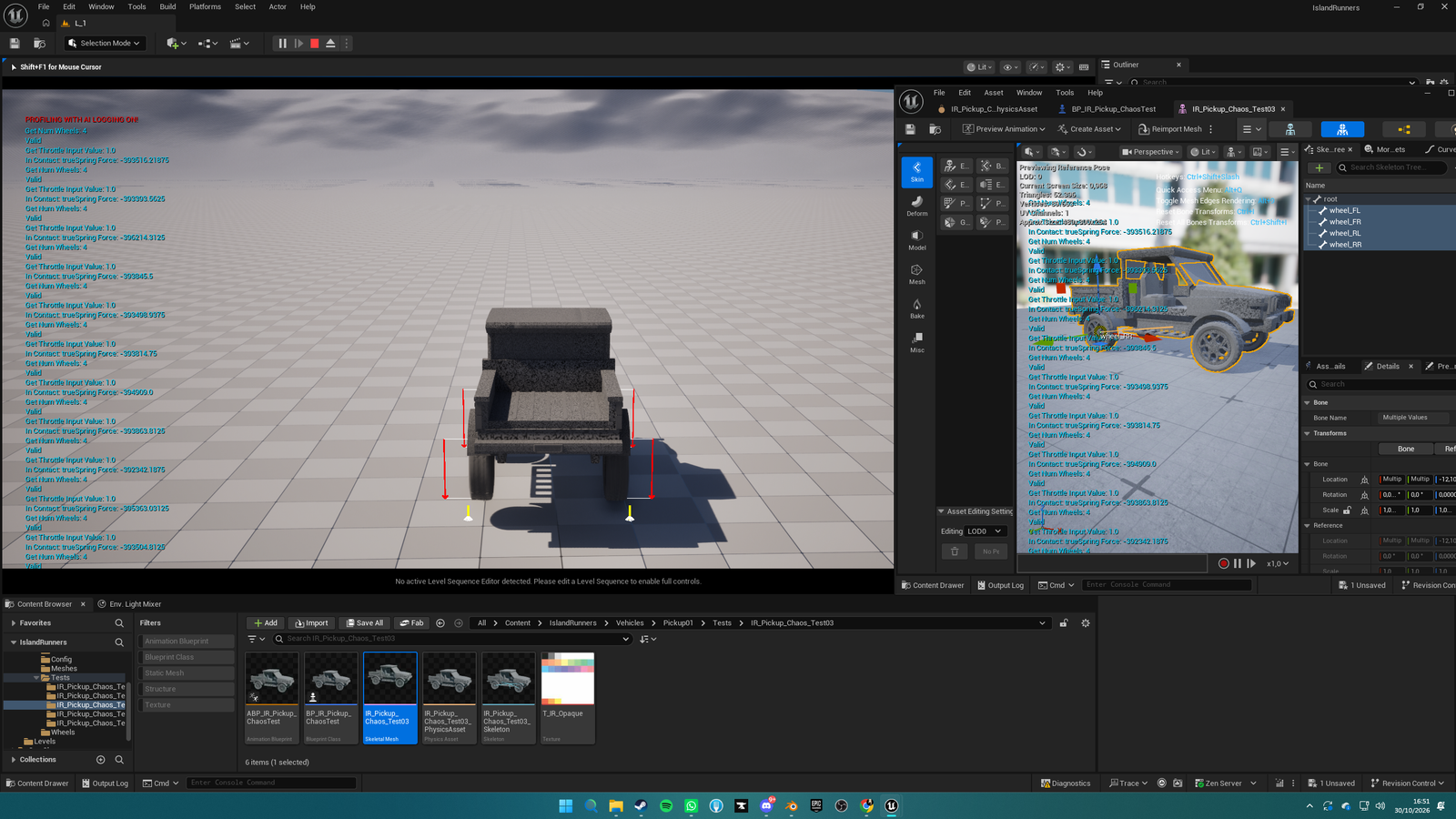
The driving system is still a prototype. There are parameters to refine, behaviors to test and controls to implement.
For now, I’m using a keyboard and controller during development. The final Logitech G29 integration will come once the game’s core mechanics are established.
But this is an important milestone.
The pickup moves. And for the first time, I can actually start building the game around it.
NEXT STOP / 004
A Garage Instead of a Menu.
Why I didn’t want a traditional customization interface, and how the Artist’s Garage became ISLAND RUNNERS’ first experiment in diegetic interaction design.
#003 – Getting It to Move, Finally
From FBX to Unreal Engine 5: Physics Assets, Chaos Vehicles and a surprising amount of troubleshooting just to get four wheels on the ground.
Out of Blender. Into trouble.
In the previous article, I covered my first attempts at rigging the pickup in Blender.
I finally had a complete model, a skeleton and all its components organized. It was time to move everything into Unreal Engine 5 and turn my asset into a working vehicle.
How hard could it be?
Well, pretty hard, actually.
I exported the pickup as an FBX file and imported it as a Skeletal Mesh, preserving the bone structure I’d prepared in Blender.
The first problem appeared almost immediately: orientation.
Between different coordinate systems and export settings, I ended up having to correct a 90-degree rotation to get the vehicle properly aligned.
A seemingly minor detail, but an essential one when movement directions, wheel axes and the skeleton all need to work together.
And that was just the beginning.
The Physics Asset situation
To handle the vehicle’s movement, I chose Chaos Vehicles, Unreal Engine’s vehicle physics simulation system.
Before I could drive anything, though, I needed to configure the Physics Asset properly.
A Physics Asset defines the physics bodies and collision shapes associated with a skeleton. For a vehicle, it’s particularly important that the body and wheels are set up consistently with the actual geometry.
I worked on the pickup’s collisions, adapting them to the model and trying to avoid interference between different components.
One of the main difficulties was the body collider, which initially interfered with the wheel area and needed to be repositioned and resized.
I also discovered that having a seemingly correct Physics Asset wasn’t enough: I had to make sure the right one was actually assigned to the Skeletal Mesh used by the vehicle.
This stage taught me how important it is to check not only individual assets, but also the connections between them.
In Contact: false.
Once the physics setup was in place, I moved on to configuring the pickup Blueprint, BP_IR_Pickup_01.
Using the Chaos Vehicle Movement component, I started defining the four wheels, their positions, steering, suspension and movement parameters.
I also checked the model’s physical dimensions, including the wheel diameter, which is approximately 86 centimeters.
The problem was that, despite what looked like a reasonable setup, the vehicle kept behaving completely wrong.
The suspension wasn’t responding as expected. The wheels didn’t seem to recognize the ground properly. During some tests, the pickup even managed to launch itself into the air.
The most memorable moment was seeing this in the debug output:
In Contact: false.
The vehicle was visually sitting on the ground, but the simulation wasn’t detecting wheel contact the way I expected.
So I started checking everything systematically: Wheel Setups, collision shapes, the Physics Asset, transforms and suspension parameters.
I also used Chaos debug commands to inspect what was happening during simulation.
There wasn’t one magical setting that fixed everything. It was more of a series of adjustments, where fixing one issue finally allowed me to identify the next.
Four wheels. One small victory.
After plenty of attempts, the pickup finally started behaving like an actual vehicle.
The wheels recognized the ground, the suspension reacted and I could start testing acceleration and steering.
Of course, things still weren’t perfect.
A collision configuration was interfering with the steering, which initially only worked in one direction.
But once I’d identified and corrected that issue too, I could finally drive the pickup around the test level.
I didn’t have an island, missions or a proper gameplay loop yet.
What I did have was something that, until then, had only existed as a model in Blender: a vehicle I could actually control inside a game engine.
And after all those attempts, seeing it move was incredibly satisfying.
The driving system is still a prototype. There are parameters to refine, behaviors to test and controls to implement.
For now, I’m using a keyboard and controller during development. The final Logitech G29 integration will come once the game’s core mechanics are established.
But this is an important milestone.
The pickup moves. And for the first time, I can actually start building the game around it.
NEXT STOP / 004
A Garage Instead of a Menu.
Why I didn’t want a traditional customization interface, and how the Artist’s Garage became ISLAND RUNNERS’ first experiment in diegetic interaction design.